THREADING
Run coding-agent sessions side by side in one Mac window. An iPhone app that follows them away from your desk is coming to the App Store.
Screenshots
Captured from the Mac and iPhone apps with example projects.
7 images
01 — On your Mac
Every agent session in one window
Projects and sessions
Start Claude Code, Codex, Grok, or OpenCode inside a project folder. The sidebar shows which sessions are working, waiting for you, or finished.
The provider's own terminal
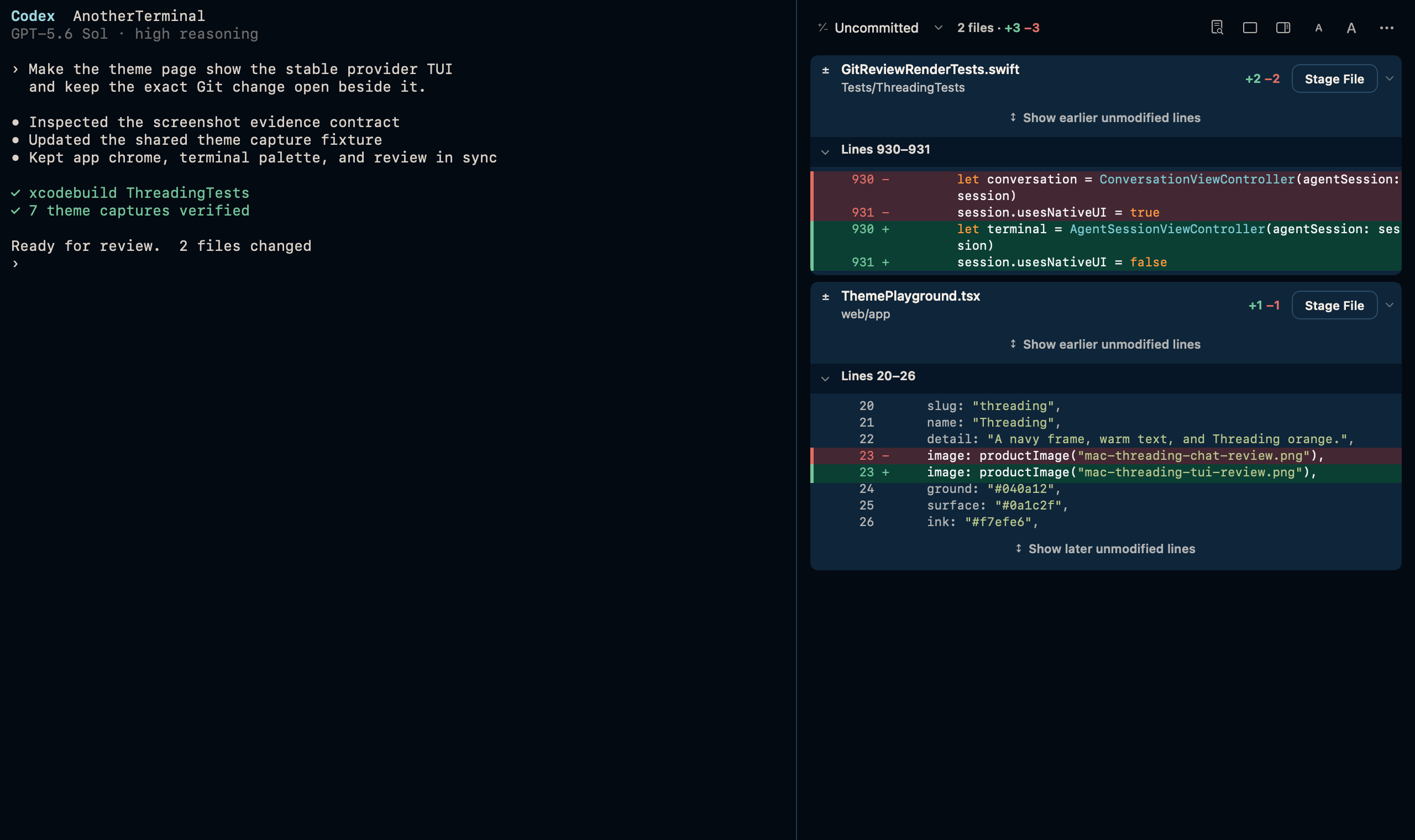
Each session runs the agent's terminal interface as it ships. Where a provider offers a structured connection, you can try an experimental native conversation view.
Review before you keep it
Open the real diff, check each file, and stage only the changes you want.
Pick up where you left off
Sessions are saved when the agent exits or the app quits. Resume a conversation later, move it to another account, or continue it with another provider.
02 — On your iPhone
Answer your agents away from your desk
The iPhone app pairs with your Mac by scanning a QR code and shows the same sessions: the live terminal, conversations, file changes, and requests you can allow or deny. It connects over Wi-Fi, through a VPN into your home network, or over Tailscale.
The iPhone app is in testing and is coming to the App Store. Pairing needs Remote Access on the Mac, which is not in public Mac releases yet.
03 — GPLv3
Free and open source on the Mac
Threading 0.1.0 runs on Apple silicon Macs with macOS 13 or later. It is signed with Developer ID, notarized by Apple, and updates itself.
The source code, releases, and build instructions are on GitHub.
Privacy
Your projects, conversations, and provider sign-ins stay on your Mac. Threading has no analytics or usage tracking. Some features contact other services, such as update checks on GitHub, and the privacy policy lists each one.
Support
Email support@mjukis.dev, or choose Help › Report a Problem in the Mac app. Include your Threading and macOS versions.